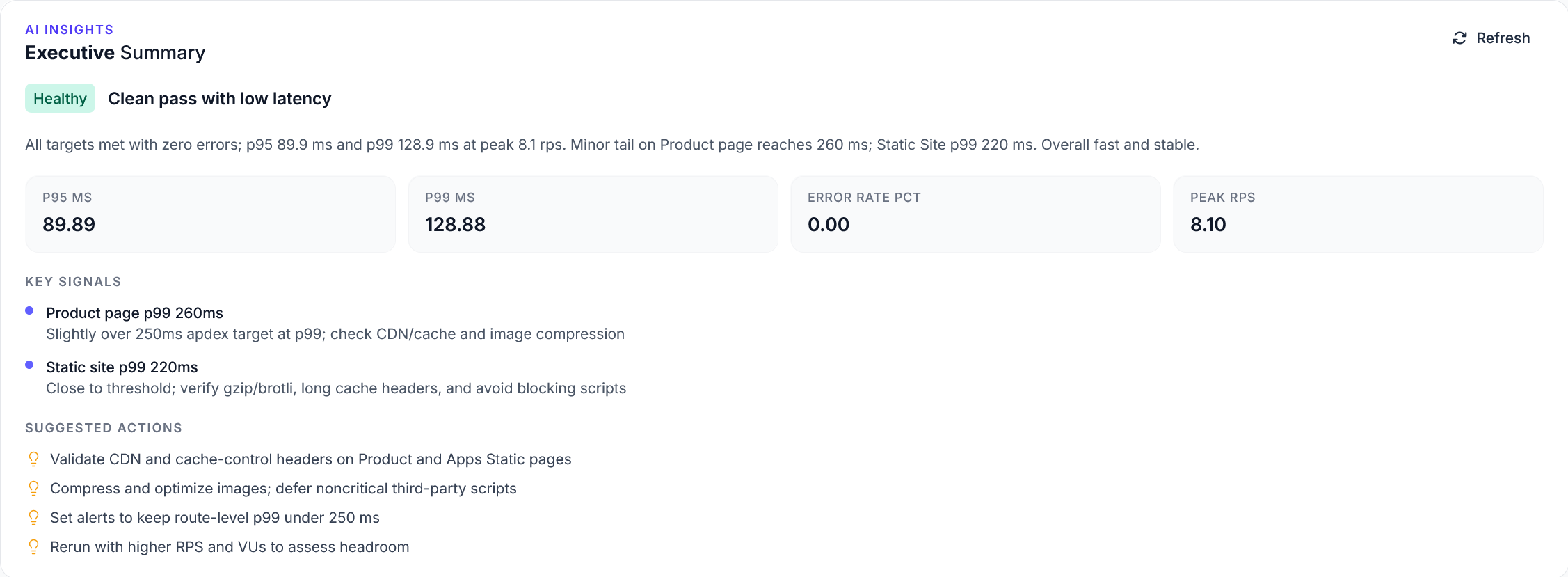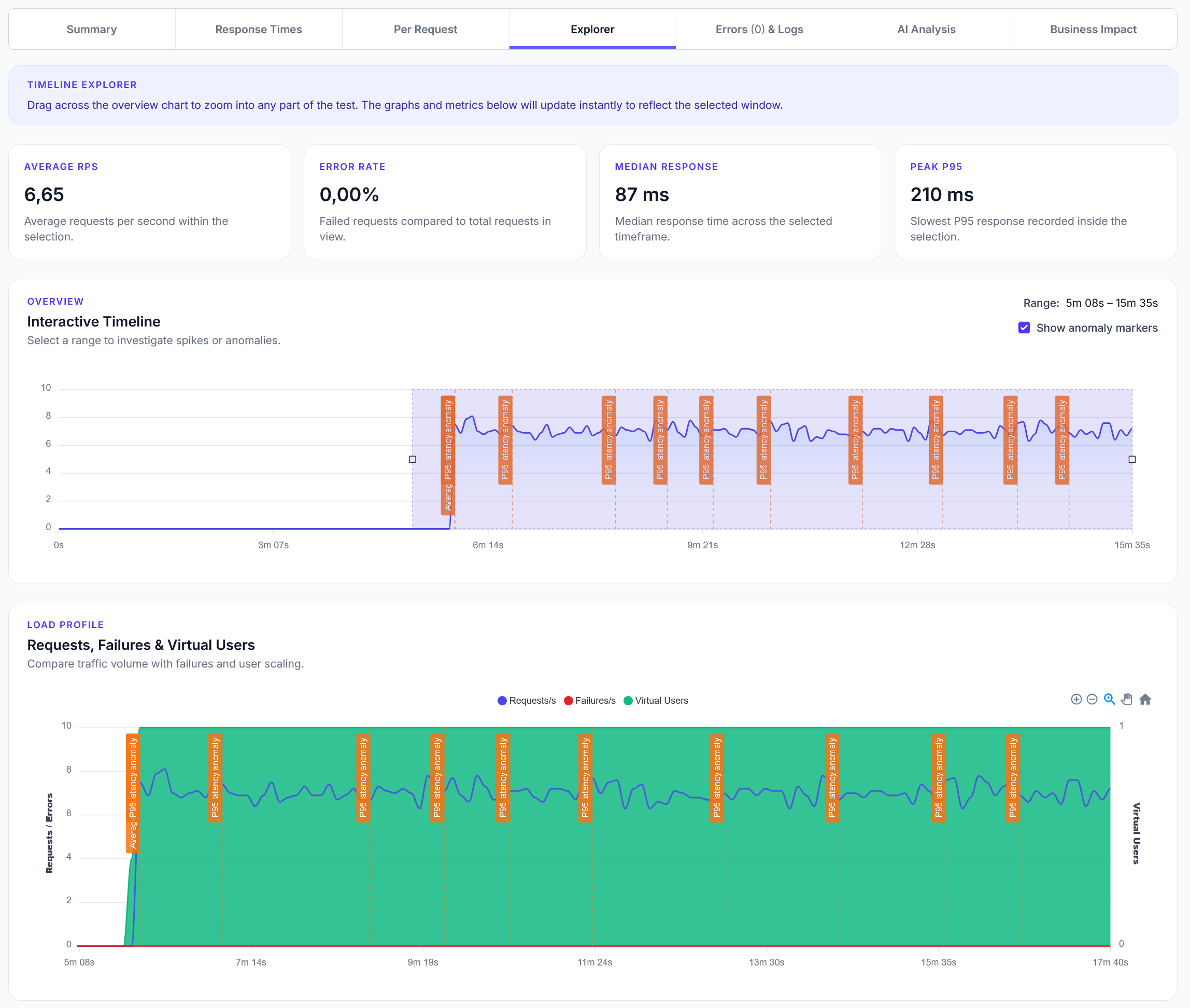
Explorer reports addition
We have added a new Explorer feature to reports, with a timeline scrubber and easy anomaly detection.
Simple load testing for local Ollama AI models with text generation and chat completion
LoadForge can record your browser, graphically build tests, scan your site with a wizard and more. Sign up now to run your first test.
This guide shows how to load test local Ollama AI models. Perfect for testing your self-hosted AI setup and comparing local vs cloud AI performance.
from locust import task, HttpUser
import json
import random

class OllamaUser(HttpUser):
    def on_start(self):
        # Ollama typically runs on localhost:11434
        self.base_url = "http://localhost:11434"

        # Available models (install with: ollama pull model-name)
        self.models = [
            "llama2:7b",
            "mistral:7b",
            "codellama:7b",
            "phi:2.7b"
        ]

        # Test prompts
        self.prompts = [
            "Write a short product description for a smartphone.",
            "Explain machine learning in simple terms.",
            "Create a brief email to schedule a meeting.",
            "Write a Python function to calculate fibonacci numbers.",
            "Describe the benefits of renewable energy."
        ]

    @task(3)
    def generate_text(self):
        """Generate text using Ollama"""
        model = random.choice(self.models)
        prompt = random.choice(self.prompts)

        payload = {
            "model": model,
            "prompt": prompt,
            "stream": False,
            "options": {
                "temperature": 0.7,
                "num_predict": 100
            }
        }

        with self.client.post(
            f"{self.base_url}/api/generate",
            json=payload,
            name=f"Generate - {model}"
        ) as response:
            if response.status_code == 200:
                try:
                    data = response.json()
                    response_text = data.get("response", "")
                    done = data.get("done", False)

                    if done and response_text:
                        print(f"{model}: Generated {len(response_text)} characters")
                    else:
                        response.failure("Incomplete response from Ollama")

                except json.JSONDecodeError:
                    response.failure("Invalid JSON response from Ollama")
            else:
                response.failure(f"Ollama error: {response.status_code}")

    @task(2)
    def chat_completion(self):
        """Test chat completion with Ollama"""
        model = random.choice(self.models)
        prompt = random.choice(self.prompts)

        payload = {
            "model": model,
            "messages": [
                {"role": "user", "content": prompt}
            ],
            "stream": False,
            "options": {
                "temperature": 0.7,
                "num_predict": 100
            }
        }

        with self.client.post(
            f"{self.base_url}/api/chat",
            json=payload,
            name=f"Chat - {model}"
        ) as response:
            if response.status_code == 200:
                try:
                    data = response.json()
                    message = data.get("message", {})
                    content = message.get("content", "")
                    done = data.get("done", False)

                    if done and content:
                        print(f"{model} Chat: {len(content)} characters")
                    else:
                        response.failure("Incomplete chat response")

                except json.JSONDecodeError:
                    response.failure("Invalid JSON response from Ollama")
            else:
                response.failure(f"Ollama chat error: {response.status_code}")

    @task(1)
    def list_models(self):
        """List available models"""
        with self.client.get(
            f"{self.base_url}/api/tags",
            name="List Models"
        ) as response:
            if response.status_code == 200:
                try:
                    data = response.json()
                    models = data.get("models", [])
                    print(f"Available models: {len(models)}")

                    for model in models[:3]:  # Show first 3
                        name = model.get("name", "Unknown")
                        size = model.get("size", 0) / (1024**3)  # Convert to GB
                        print(f"  - {name}: {size:.1f}GB")

                except json.JSONDecodeError:
                    response.failure("Invalid JSON response from Ollama")
            else:
                response.failure(f"Failed to list models: {response.status_code}")

    @task(1)
    def model_info(self):
        """Get information about a specific model"""
        model = random.choice(self.models)

        payload = {"name": model}

        with self.client.post(
            f"{self.base_url}/api/show",
            json=payload,
            name=f"Model Info - {model}"
        ) as response:
            if response.status_code == 200:
                try:
                    data = response.json()
                    modelfile = data.get("modelfile", "")
                    parameters = data.get("parameters", "")
                    print(f"{model} info retrieved")

                except json.JSONDecodeError:
                    response.failure("Invalid JSON response from Ollama")
            else:
                response.failure(f"Failed to get model info: {response.status_code}")
Install Ollama: Download from ollama.ai
Pull Models: Install models you want to test:
ollama pull llama2:7b
ollama pull mistral:7b
ollama pull phi:2.7b
Start Ollama: Run ollama serve (usually starts automatically)
Verify Setup: Test with curl http://localhost:11434/api/tags
ollama pull