
Build once, reuse everywhere: the LoadForge Library
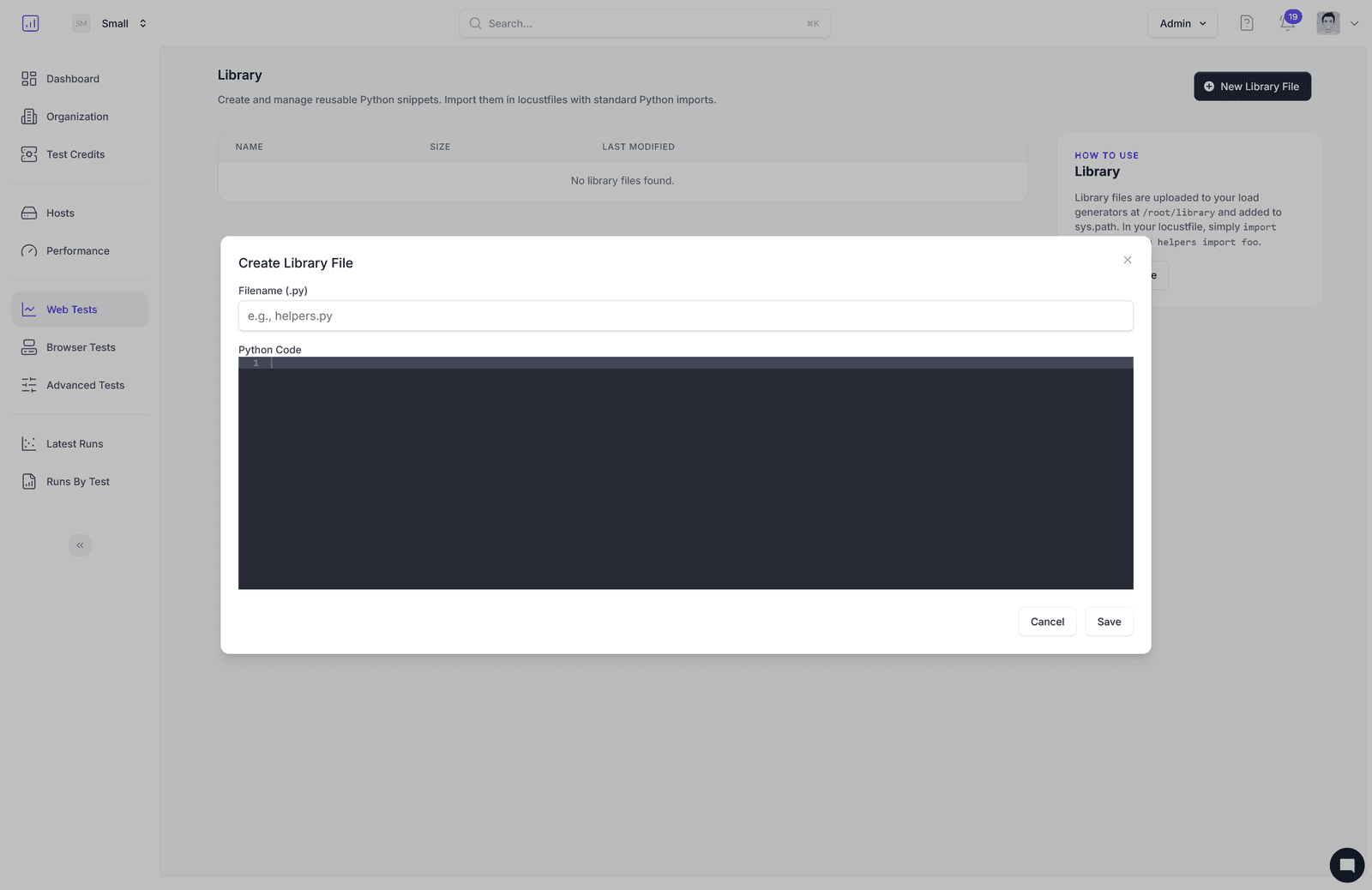
Writing the same Python helpers across multiple Locust tests is brittle and slow. The Library lets you create shared Python modules—small, reusable functions you can import across all your tests—to keep your performance suite DRY and consistent.
What it is
- Reusable Python modules stored in LoadForge
- Auto-synced to your load generators at
/root/library - Auto-added to
sys.path, so you can import with standard Python imports
In the UI, click “New Library File,” name it (e.g., helpers.py), edit code with syntax highlighting, then Save. You can edit or delete files anytime; updates are picked up on the next run.
Why it’s useful
- Consistency: Centralize auth, data builders, custom checks, and utilities
- Speed: Import once, reuse across projects and teams
- Reliability: Reduce copy‑paste errors and keep logic in one place
How to use in tests
- Library files live at
/root/libraryand are onsys.path - Import them in your
locustfile.pywith standard Python imports
python
# helpers.py (Library)
import random, string

def random_email(domain="example.com"):
    local = ''.join(random.choices(string.ascii_lowercase, k=10))
    return f"{local}@{domain}"
python
# locustfile.py
from locust import HttpUser, task
from helpers import random_email

class WebsiteUser(HttpUser):
    @task
    def signup(self):
        email = random_email()
        self.client.post("/signup", json={"email": email, "password": "secret123"})
Common patterns to centralize
- Auth & session helpers: login, token refresh, header builders
- Data generation: emails, SKUs, payload factories
- Assertions & checks: response validators, timing guards
- Utilities: pagination, retry/backoff, JSON helpers
Tips
- Keep modules focused: e.g.,
auth.py,data.py,checks.py - Pure functions > side effects for easier reuse
- Parameterize via env/config to match environments
For details, see the docs: Library in LoadForge